Calculate the Sum of a Range Using AutoSum function
By Tauqeer Shah
Published: 14 Feb 2021
MS Excel Tutorial AutoSum Function
Calculate the Sum of a Range Using AutoSum function In Excel
In this tutorial we learn that how w calculate the sum of any given data in shape of cell range using AutoSum function.
We take an example of the following table in excel:
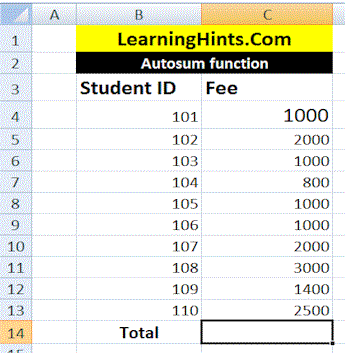
In above table we have fee detail of the students. we want to calculate the Total fee in The Cell C14.
For this purpose Click in Cell C14
Select the Formulas tab.
Select Autosum from functions library.
Select Sum.
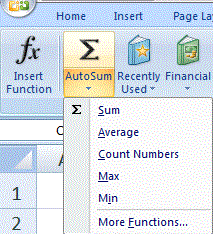
Formula will appear in the selected cellC14. AutoSum command automatically selects the range of cells from C4 to c13.

Now Press the Enter key. The total will appear as 15700.