Facebook Post Description
How Facebook Show Description From Your Post
When you share a link of your post form your website or your blog on facebook it would display the first few lines of the post and use it as content description. This is done by sharing a post using a Facebook share button and also you can Copy The Post link and Past on Facebook.
There are some more option of getting the information form your post are:
First it looks for a description meta tag, and uses the content as description.
If there is no description meta tag in your page then Its looks for the first <p>(paragraph).
Facebook scrapes your page every 24 hours to ensure the description (and other share data) are up to date. However, you can manually refresh it by entering the post URL into the Facebook URL Linter. Click hare to open the Facebook URL Linker Page.
When you open Above link Enter The Link Address of your page in URL Box. (Show in Image Below)
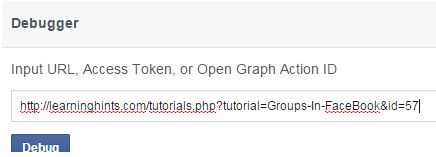
Click on Debug Button.
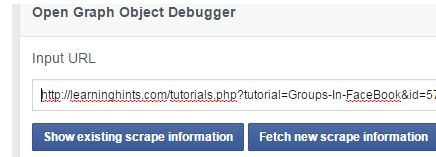
Facbook Display the Scarp Information . if Its correct then ok other wise click on Fetch New Scrap Button.
Facebook Profile
Hide your Facebook Friends List
News Feed In Facebook
Groups In FaceBook
How We Delete an Album on Facebook
Privacy settings for my photo albums
Change Your Profile Picture on Facebook
Edit your Profile on Facebook
How Facebook Show Description From Your Post
Create a Unique URL for Facebook Page
How we delete all the messages at once at facebook
Delete All Facebook friends at once